GreekStack on your iPhone.
The whole chapter in your pocket: the feed, events and RSVPs, dues and giving, the member directory, and the recruitment pipeline, in a native client that opens to your chapter and keeps you signed in.
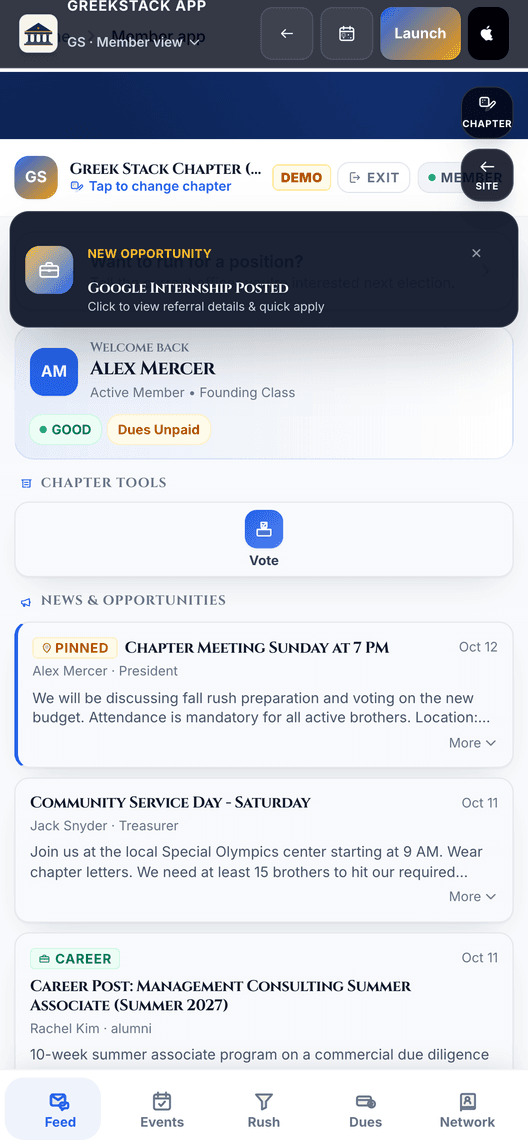
The feed, as it ships.
The app, screen by screen
Every surface below is in the TestFlight build we're inviting chapters into.
FeedAnnouncements from your e-board and career posts from the alumni network, in one place. 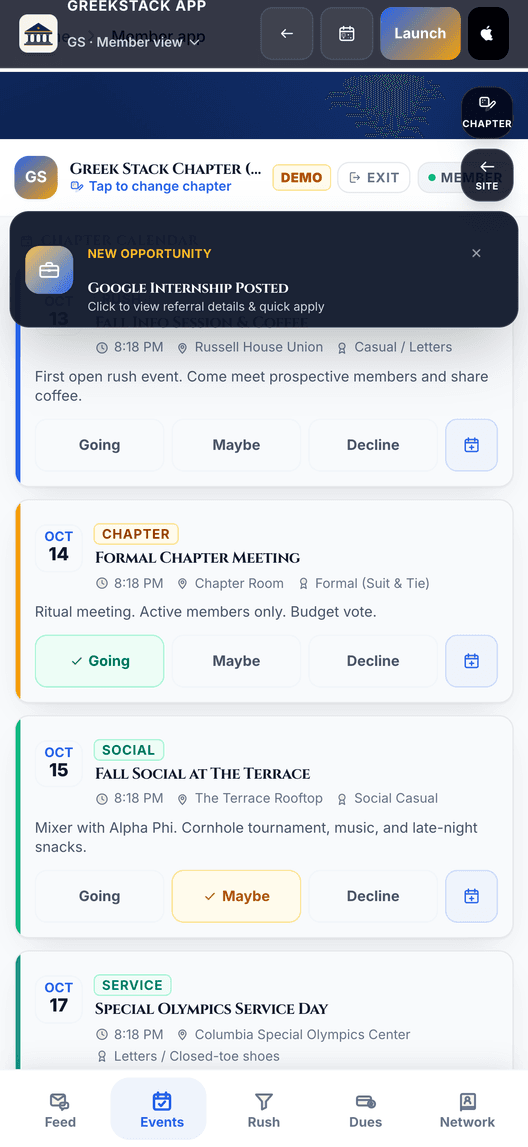
EventsWhat is coming up, and one tap to add it to your iPhone Calendar. 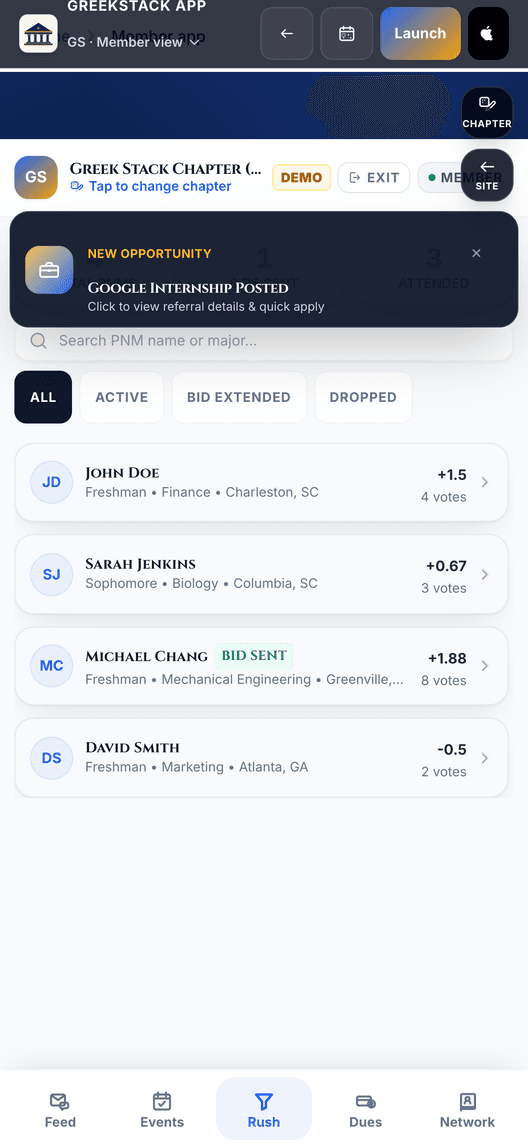
RecruitmentWhere every prospect stands, so no one goes quiet. 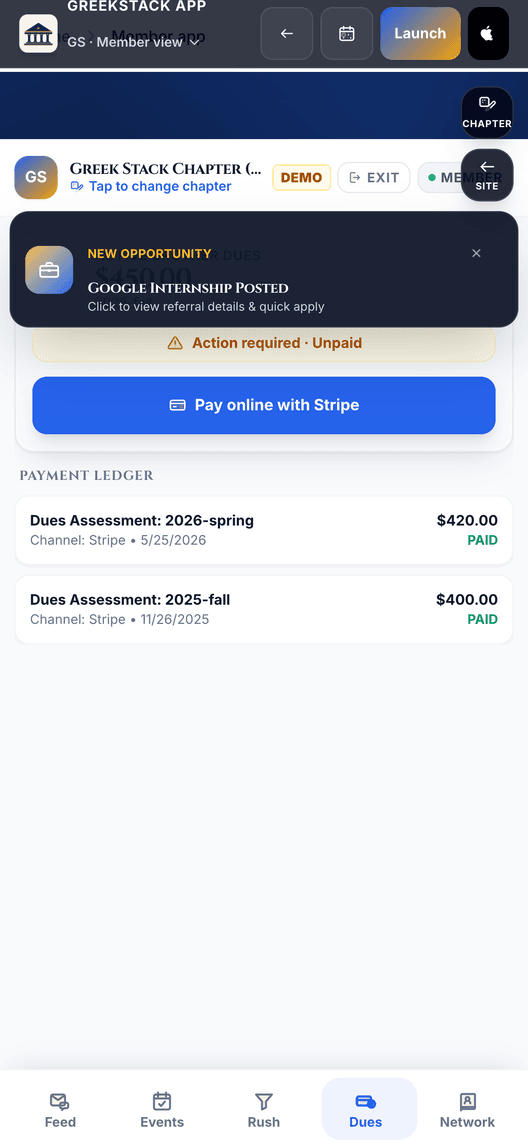
DuesYour balance, and a card payment that goes straight to the chapter. 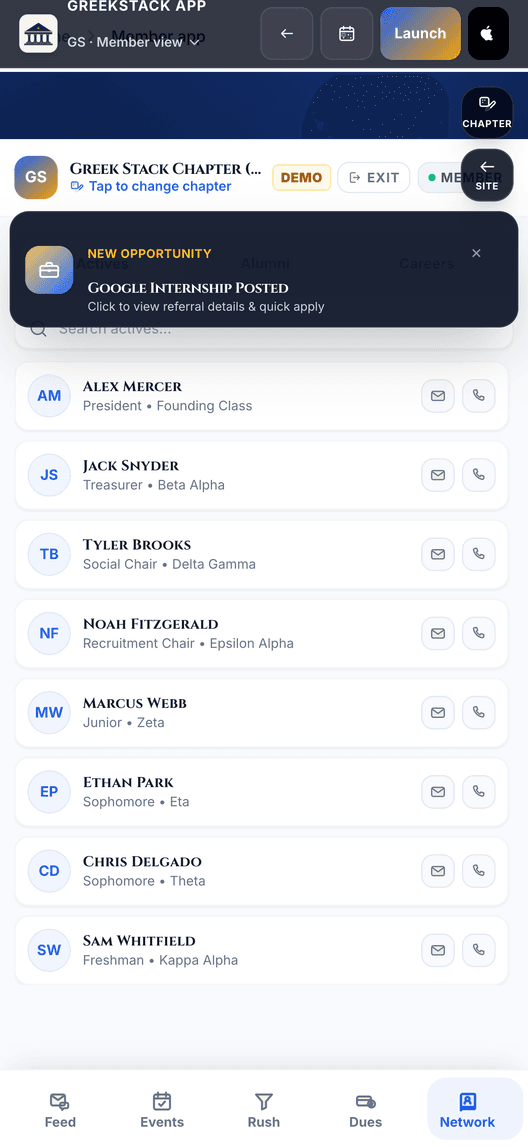
DirectoryActives and alumni, with the contact details each person chose to share. 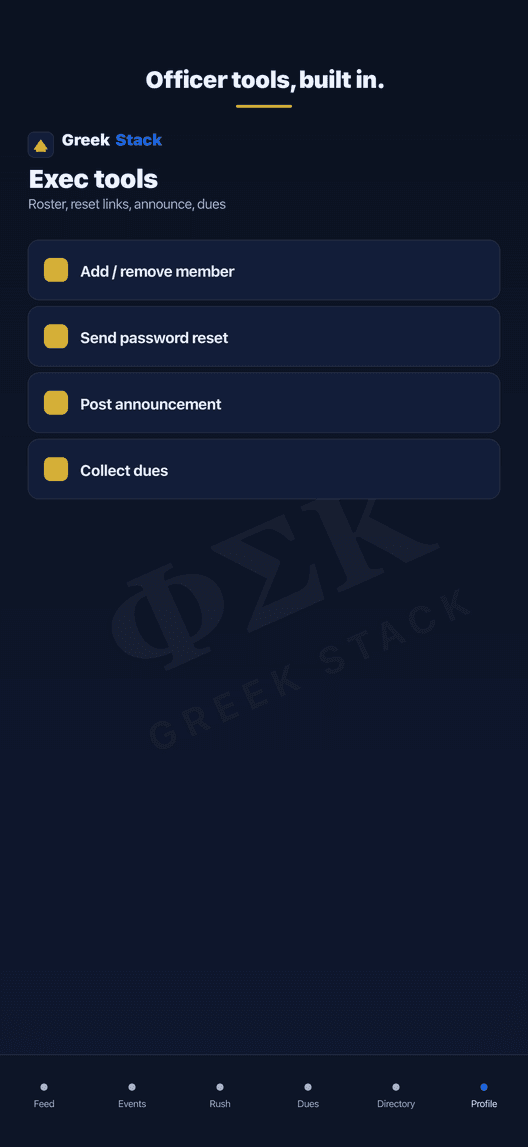
Officer toolsRoster changes, announcements and dues collection from your phone. 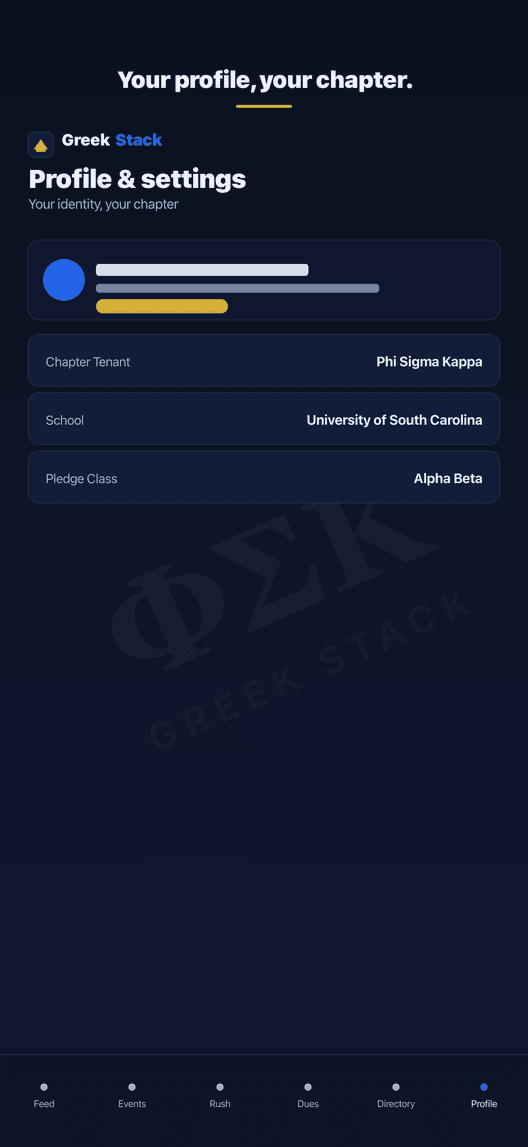
ProfileYour chapter, your school, your pledge class.
Why use the iOS app?
The iOS app is built on Apple's platform features: sign-in with Apple, push notifications, home-screen widgets, and share sheets that behave like the rest of the phone.
Offline Resilience
The screens you last viewed are cached on the device, so the app opens with your chapter's data instead of a spinner when the signal drops out.
Native Speed & Deep Links
Tactile haptics on every action, quick launch, and universal links that open the right page in the app, the chapter toolkit without the browser chrome.
Stays Signed In
Sign in once and the app keeps your session on the device, so opening it goes straight to your chapter instead of a login screen every time.
Scoped to Your Chapter
Every request carries a token bound to your chapter, so the app only ever loads your roster, your events and your dues, never another chapter's.
Announcements & the Feed
Read what your e-board posts and see career opportunities in the same feed. Officers can post and pin an announcement from the app.
Events to Your Calendar
One tap adds an event to your iPhone Calendar, and the RSVP you make in the app syncs back to the roster your officers are working from.
Recruitment on the Go
Work the rush pipeline from your phone: see where every prospect stands, record an impression after you meet them, and keep notes current between events.
Dues & Giving
See your dues balance and pay it by card through Stripe's secure checkout. Alumni can make a one-time or recurring gift the same way.
How to install & configure
Follow these simple steps to install the app on your Apple device and get started.
Get TestFlight
Download Apple's official beta testing utility, TestFlight, from the App Store on your iPhone.
Download TestFlightJoin the Beta
Invites are issued chapter by chapter. Ask your chapter officer for your TestFlight link, or request one from us. Everything the app does is available on the web today.
Request an inviteLog In & Select Chapter
Open the GreekStack app on your phone, choose your organization, and sign in using your portal credentials. The app automatically scopes your data to your chapter.
Make it yours
That's it, you're in. The app responds with native haptics, opens shared links straight to the right page, and keeps your chapter's recent data cached so everyday screens open fast, even on a slow connection.